Mac Os X 10.9 Iso Download Kickass Updated
Mac Os X 10.9 Iso Download Kickass
Follow these steps to download and install working Os 10 10.9 Mavericks pre-installed VMware image for Windows 10, and seven on Intel processor computers. Doing a fresh installation of Os X 10.nine on VMware workstation by Apple's original DMG file is not so easy. We already published a guide about installing Mavericks on VMware from the DMG file. Instead of going through those hard tasks, you can simply download this pre-installed and configured epitome and use it instantly. Since this was made past the vanilla kernel (without modifying the original kernel), future software updates also possible with it.
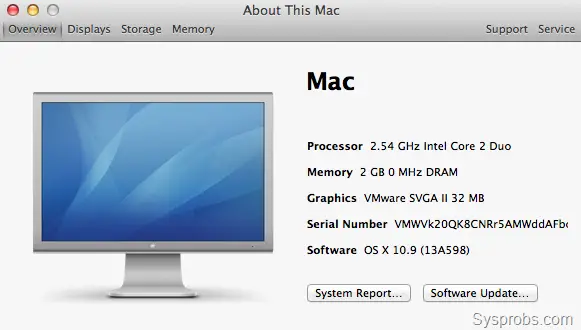
Steps to Use Os Ten 10.9 Mavericks VMware Image on Windows 10/8.1/vii
1) Make sure that your physical computer supports hardware virtualization engineering ( vt-x). Mostly all the recent desktop and laptop computers support virtualization technology nowadays. In some computers this characteristic is already activated, in others it should exist activated manually in computer BIOS settings.
Y'all can read our earlier guide to find out how to enable hardware virtualization applied science ( vt-x) in BIOS and how to exam information technology.
2) Download the Mavericks retail paradigm. Since the owner'southward website is not working anymore, you can download it from this link.
3) Extract the main file which is in 7z format. You can use WinRAR or 7z.exe program for this purpose.
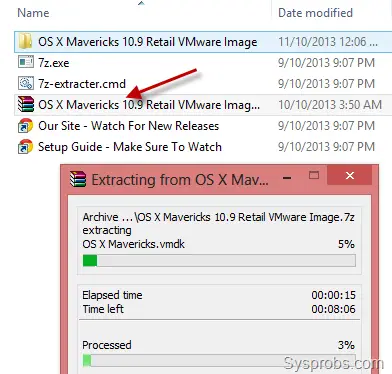
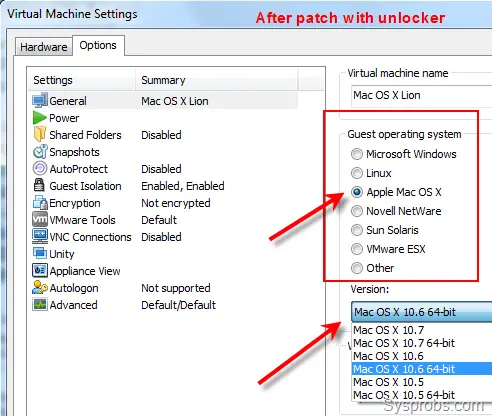
four) We demand to use an unlocker patch to make VMware workstation to back up Mac guest in Windows Bone.

If you are using the latest VMware workstations such as fourteen or 15, apply this link to download the unlocker – how to use VMware unlocker in Windows Os.
Notation: Sometimes later using unlocker in VMware workstation, the Apple tree Mac OS X guest support may not appear. Only even so, the OS X guest will kick and work fine.
5) Open up the vmx file of the retail Mavericks virtual machine as shown below.

6) Before starting the virtual machine, you tin modify the settings on the next screen. I take increased the RAM to 2GB and the number of processors to two.
7) Power on VM at present. If VT-X is enabled properly and unlocker worked fine, you could run across the initial configuration screen without any issues.
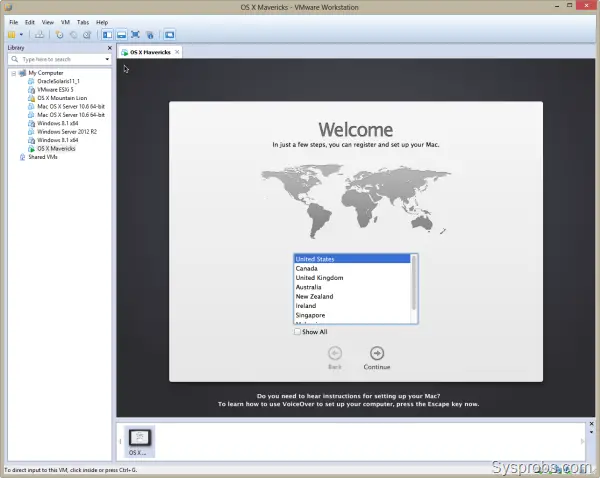
8.) After doing a few configurations, you will land on well working Mavericks virtual machine.
Call up- This is merely for testing and learning purposes only. In the virtual environment, y'all will not get all features of Os 10 as running information technology on Apple tree hardware.
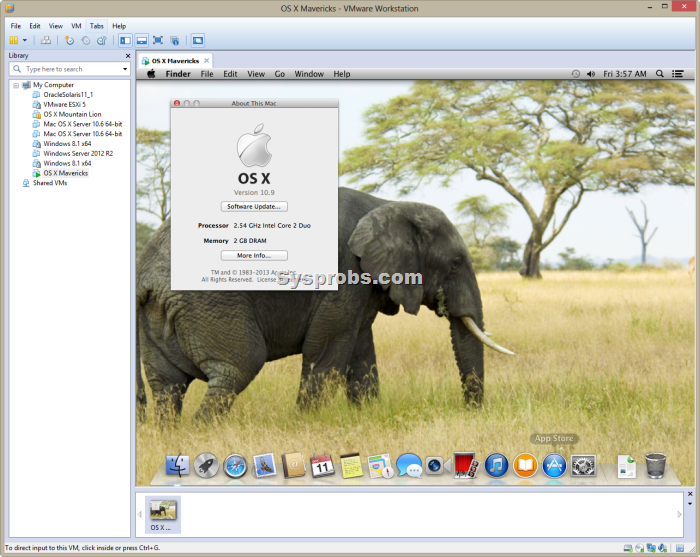
VMware Tools for Os X 10.ix Mavericks on Windows OS
Sound and network piece of work fine in this method without installing VMware tools. Information technology is already having multiple screen resolution options which normally come only later VM tools installation. Too, full-screen mode and car-adjust screen size did not piece of work after installing tools. Therefore, I do non see any valid reasons for VMware tools on OS X 10.9 except VMware shared binder.
If yous need VMware shared folders on Mavericks with Windows x or 8.1 or 7 to share Windows OS folders and drives with guest OS, then continue the installation.
nine) Mountain the (attach to VM's CD bulldoze) darwin.iso file which is included in the same binder.

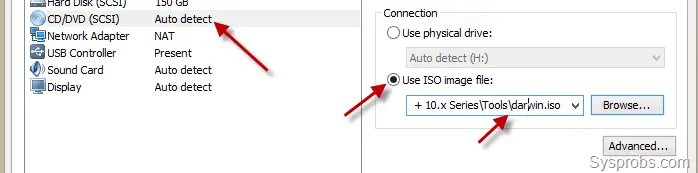
10) When the CD drive opens automatically, double click 'Install VMware Tools' and begin the installation.
Recommended: Accept a snapshot of the virtual motorcar before start the installation. Information technology will exist easy to rollback if annihilation goes wrong in the future.
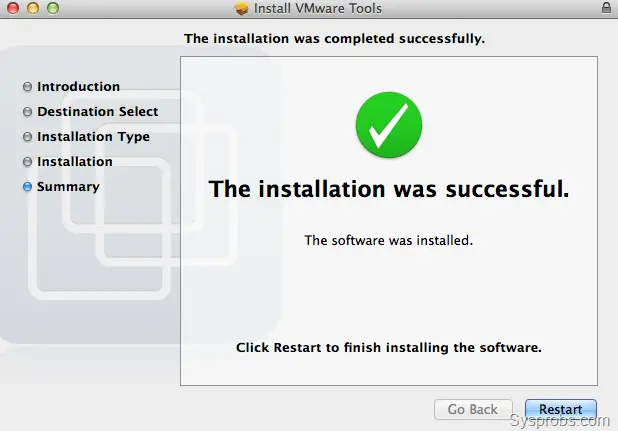
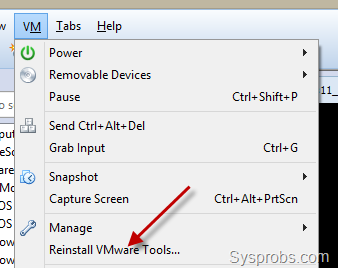
After restarting, to make sure that VMware tools have been installed properly, go to VM in the carte du jour and meet for the below option. If the 'Reinstall VMware tools' option is available, that means information technology'due south already installed and working inside the virtual car.
Configure VMware Shared Folder in OS X 10.ix Mavericks with Windows 10 and viii.1
11) Become to settings of the virtual auto and add a Windows OS host folder/partitioning. While setting up, you tin select 'Read But' if you similar to protect the host data.
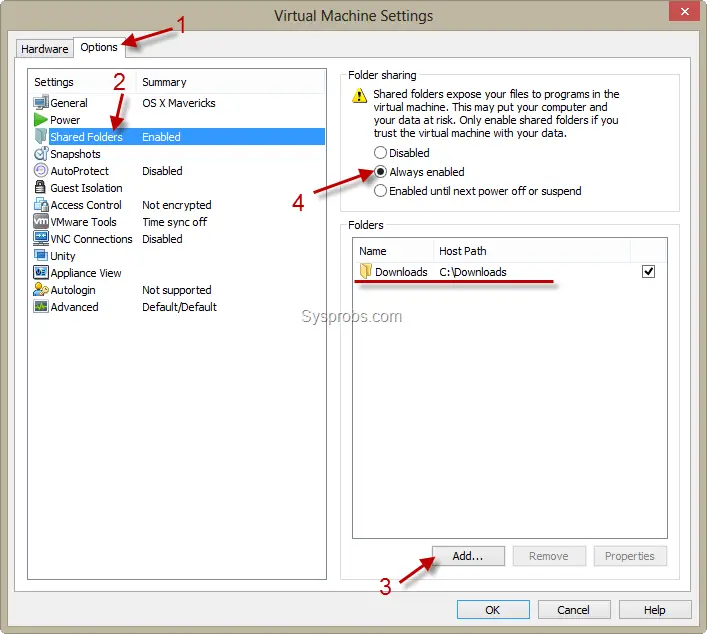
Remember: VMware shared folder doesn't require any network connectivity or configuration between host and invitee. This purely works with VMware tools and integration services. So, it is very simple to configure and use without network connectivity.
12) Inside Mavericks guest OS, you can access VMware shared folder in Reckoner equally shown below.
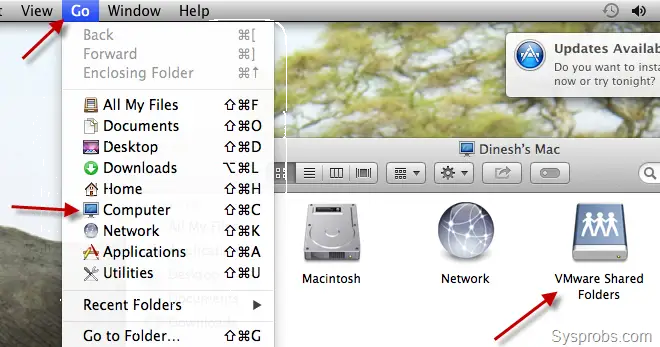
Here is a video tutorial guide made by the possessor of this OS X 10.9 VMware image.
This build can be upgraded to the latest versions of macOS. Take a backup or snapshot and start upgrading to the latest releases if you actually need to have the contempo macOS for your learning or development purpose.
Upgrading 10.9 to ten.10 Yosemite in VMware
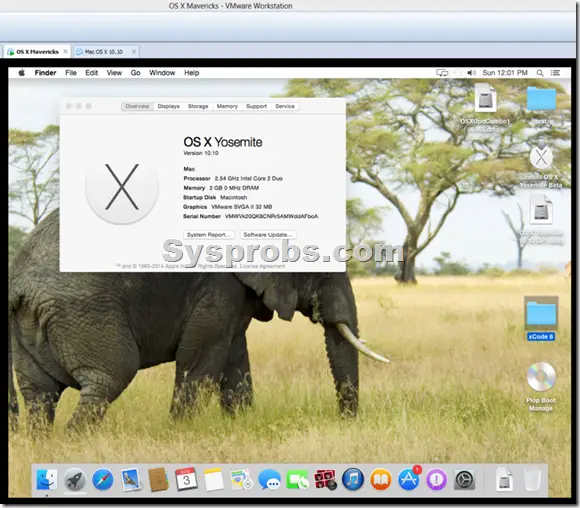
We used this same pre-installed ten.9 image to update to 10.10 Yosemite and it worked fine. Without downloading any DMG files separately, the Apple App store update worked fine since we used the Vanilla kernel here.
Here is the status of the virtual machine before upgrading. If you observe, we already upgraded x.9.0 to 10.9.three which was the minor release from Apple.
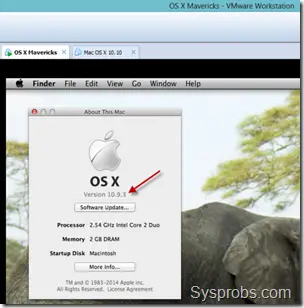
As suggested, take a snapshot of VM before starting the upgrade process.
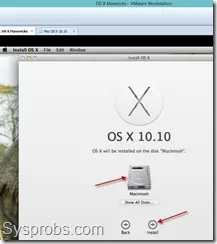
The installation will brainstorm unremarkably.
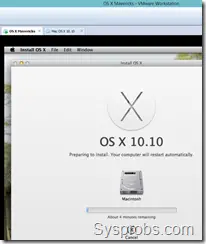
Select the existing OS deejay to over the electric current version. Click next to go on.
Here is the working 10.10 Yosemite OS which was upgraded from 10.9 on VMware workstation.
Mac Os X 10.9 Iso Download Kickass
Posted by: orlandosquis1950.blogspot.com

