Os X 10.11.4 Download Mac Updated
Os X 10.11.4 Download Mac

Mac users become new software updates and versions more frequently than the other operating systems. That's both the approving and curse for the Mac users. The latest software makes your Mac device uniform with the new technological developments. Withal, it also makes the existing Bone obsolete. That's why most Mac users with old devices try to update their Mac to OS X El Capitan. Nonetheless, you can't update your Mac to El Capitan ten.xi if your Mac runs on software later than Mac OS X 10.6 Snow Leopard.
Is Bone X El Capitan All the same Available for Your Mac?
OS X El Capitan (x.11) was launched on 25 September 2015, and it is an improved version of OS X Yosemite (10.x). Improved window management, quick and responsive interface, spotlight search, and enhanced graphics were the prerequisites of El Capitan OS. However, if y'all are planning to update your Mac to OS X El Capitan, your device must fulfill the post-obit requirements.

Infinite Requirements
Y'all tin can't install OS X El Capitan unless your Mac has a gratis space of 8.8 GB. However, that'due south the space you demand to install El Capitan on your Mac. You might have to free more than space to run your Mac more smoothly because low infinite slows down system performance.
Hardware Compatibility
About of the Mac models can install and run Os Ten El Capitan, simply in some devices, you tin't use full features of this Bone due to hardware limitations. For case, y'all tin can't use AirDrop on your Mac if you don't have a WiFi network compatible with PAN. The followings are devices that are compatible with Os Ten El Capitan.
- MacBook introduced in 2009 or later on, plus MacBook (xiii-inch, Aluminum, Tardily 2008)
- MacBook Air introduced in tardily 2008 or after
- MacBook Pro introduced in mid-2007 or later
- Mac mini introduced in early 2009 or later
- iMac introduced in mid-2007 or later
- Mac Pro introduced in early 2008 or later
- Xserve models introduced in early 2009
RAM Compatibility
RAM is the temporary memory that supports the organisation to run apps and programs efficiently. Without enough RAM, trust me, you can't even run your native operating system smoothly. Similarly, you can't install El Capitan unless yous take 2 GB RAM on your Mac.
Operating System Compatibility
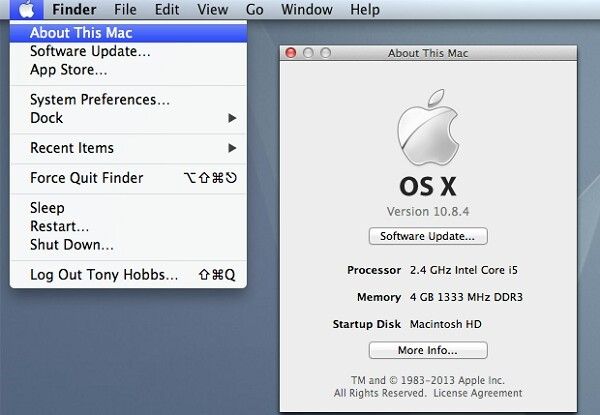
Operating systems play a critical role in creating an operational surroundings for both the software and the hardware. If you take decided to update your Mac PC, you lot accept to brand sure that your device doesn't run the OS subsequently than Mac OS 10 Snowfall Leopard 10. vi. 8.
People Also Search:
How to Update My Mac to Bone Ten x.11.six/10.eleven.4?
After yous are done with checking the compatibility of your Mac device, information technology'southward time to follow some pre rituals to prepare your device for Mac Os X El Capitan 10.xi. These steps are mandatory for the successful installation of El Capitan OS into your Mac, and Apple also suggests them.
Become Your Mac Fix for El Capitan Update
Unprepared installation of a new operating system tin issue in disappointment. Remember that you are going to become a relatively new Os for your older Mac. To increase the hardware compatibility of your Mac, you must go through a checklist for successful installation of OS X El Capitan.
Space in your Mac: This includes freeing space both on RAM and Disk drive. 2 GB RAM and 8.8 GB of disk space are mandatory because the installer would non keep without the fulfillment of these hardware requirements.

Minimum battery requirement: During the Os update, a computer consumes bombardment quicker than the regular operations. Your Mac needs to accept at least 45% battery to laissez passer through the El Capitan installation.
Active Internet Connexion: You can't proceed with whatever OS installation without an agile internet connectedness. Along with the installation parcel, your Mac would also need some side installations throughout the update. Without the support of these plugins and drivers, you would exist back to square ane. So, an agile connection is a must.
Update Apps: Outdated apps can halt the process of updating your Mac. As shortly as the installation of Mac OS X El Capitan completes, you lot confront a software crunch. Most of your apps would finish working, leaving yous with a headache. That's why don't forget to update your apps before starting the update.
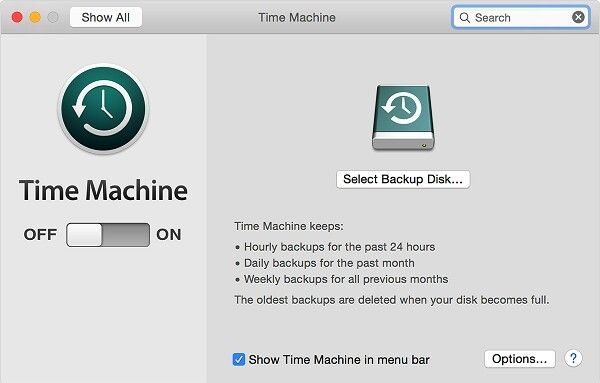
Fill-in Your Data: In that location'southward a high chance that you lot would lose your data during Mac Os Ten EI Capitan update considering the new OS makes changes in every nook and corner of your PC. To prevent the possible data loss, brand a double back upwardly—one in the Fourth dimension Machine and other in the external storage device. If there is whatever file missing after the El Capitan update, check how to recover files afterward Bone X update.
Begin Update Process
Your device is ready to embrace Mac OS X El Capitan 10.11 subsequently going through the steps mentioned earlier. Now it's time for some real activity.
Footstep oneVisit the official Mac App Store and search for Mac OS X El Capitan. Your search result would Stake you to the El Capitan page. You lot can likewise download El Capitan without the App Store by the post-obit links.
Step 2From the official El Capitan page, you can download your required version.
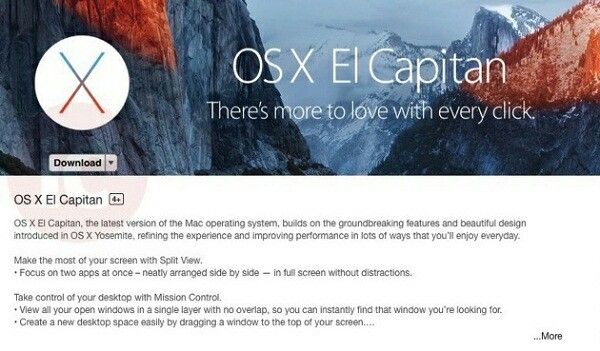
Stride 3Once the download is done, the El Capitan installer will pop up on your screen.
Step 4Press the 'Go on' button and expect for the installation to brainstorm. Yous can proceed with the installation past following the instructions of the installer.
Footstep 5The installation procedure does not take a long fourth dimension. In one case the installation is done, you lot can restore your data from Time Machine or external drive.
Recover Lost Files After Os X El Capitan Update
Do you call back those pre-installation steps? Those steps were taken to minimize the chances of data loss during the Mac OS Ten El Capitan installation. Despite these precautions, you are nevertheless at the risk of unprecedented data loss. You can lose information due to the post-obit reasons.
Data loss due to corrupted files: If your Mac contains corrupted files, you lot will lose your data. During installation, the new OS tries to set or delete corrupted files. These overwritten or deleted files would not appear after installation.
Nature of Mac OS X El Capitan's update: You will supplant your older OS with a new version that is not tailor-made for your Mac. That'southward a significant shift in the environment of your Mac. Such kinds of major updates come with uncertainty, and you can't predict whether you are going to lose your information or not.
Hardware specifications: 2 GB RAM and viii.viii GB deejay space is a standard requirement for El Capitan's update. Simply information technology takes a lot more than from a Mac device to adapt to a newly enforced environment. A slight incompatibility can make you lose your information without whatsoever detect.
Lost Your Information Afterward Mac Bone X El Capitan: What's Next?
Data loss is one of the anticipated drawbacks of the installation of Mac OS Ten El Capitan. If yous have lost your data afterward while updating your Mac and don't know what's next, it's time to go proficient help.
Recoverit Data Recovery tin be used for getting your documents, sound clips, videos, and photos dorsum after Mac OS update. It uses high-tech codecs that are compatible with more a thousand formats of files. Here are all the skillful reasons to trust Recoverit Information Recovery.
- Junk gratuitous installation for the data security of their users;
- High compatibility with Mac on different versions;
- Works effectively with every storage device: hard drive, USB bulldoze, SD card, etc.;
- Deep scanning feature;
- Straightforward interface and quick data recovery.
Mac users tin can retrieve their lost information after OS X El Capitan Update by following these steps.
Footstep 1Download Recoverit and tap on its icon to launch it on your Mac
(If you can't find the Recoverit icon on your desktop, yous can apply Finder to search it.)
Step 2After running Recoverit successfully on your Mac, now choose the following options.
Step 3Select the location of the drive you want to recover files.
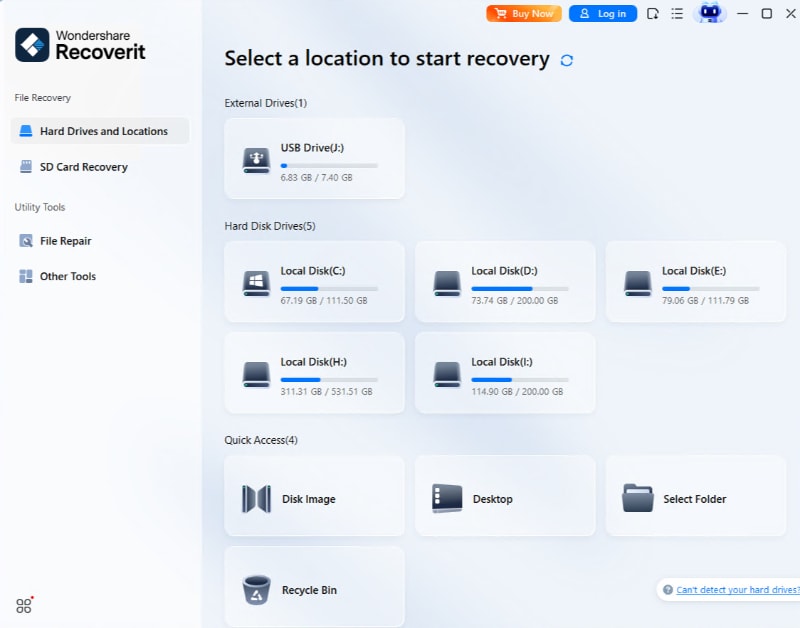
Stride ivUse the 'Starting time' button to scan information technology. Scan retrieves all the data of your selected bulldoze.
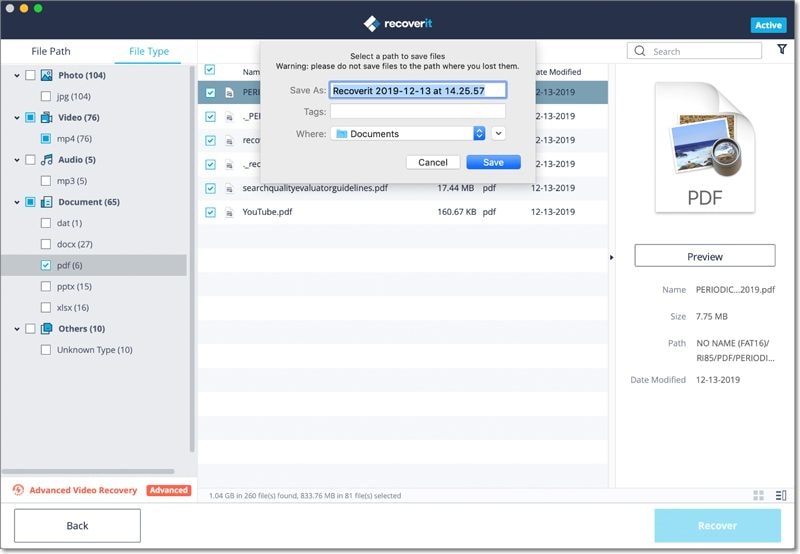
Stride fiveUsing the selection to 'Preview and Recover,' y'all can choose the files that you want to recover, and you are done.
Wrap Upwards
New updates always come with dubiety for the one-time devices. However, you can reverse your loss of data by taking the precautionary steps. Despite these steps, you might lose a few of your files. Merely don't worry, an ace software similar Recoverit can recover your data.
Os X 10.11.4 Download Mac
Posted by: orlandosquis1950.blogspot.com

